At Techverse IT, we aim to provide you with seamless access to all the services you need. Whether you're looking to manage your products, pay your bills, access updates, or even cancel any services, our Client Area is your one-stop platform to do it all. Here's a simple guide to help you log in to your Client Area, where you can take control of your account effortlessly.
Step-by-Step Guide to Logging in to Your Client Area
-
Visit the Client Area Link
First, go to the following link to access the Client Area:
https://clients.techverseit.com/
-
Click on "Login/Register"
On the homepage, you will see the option to either Login or Register. Since you already have an account, click on Login/Register to proceed.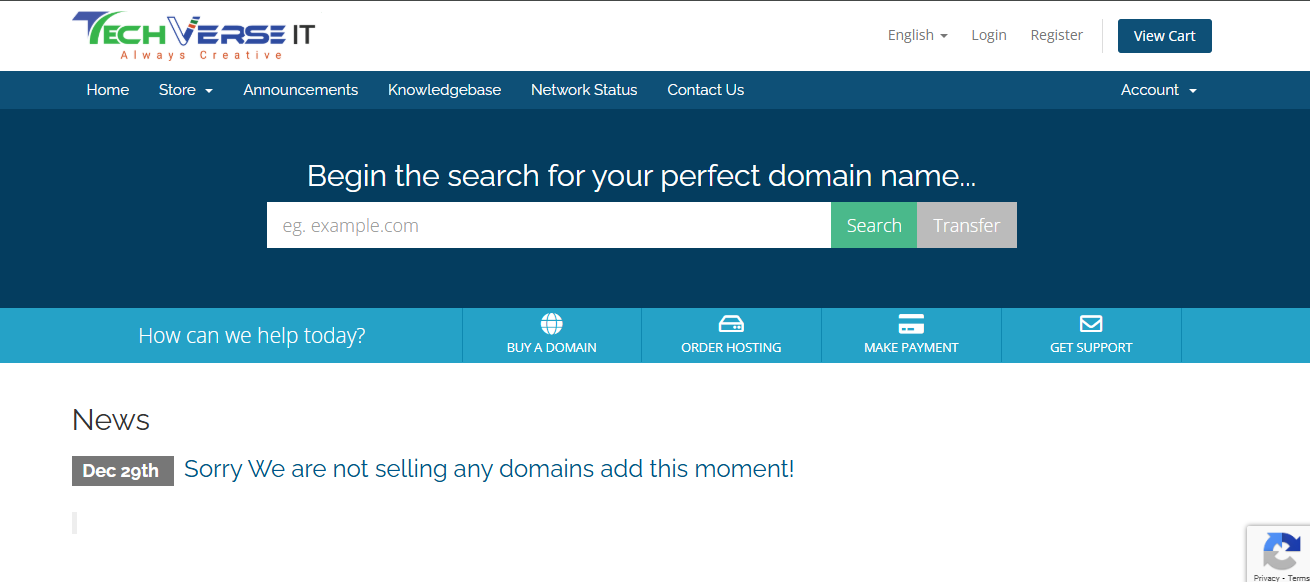
-
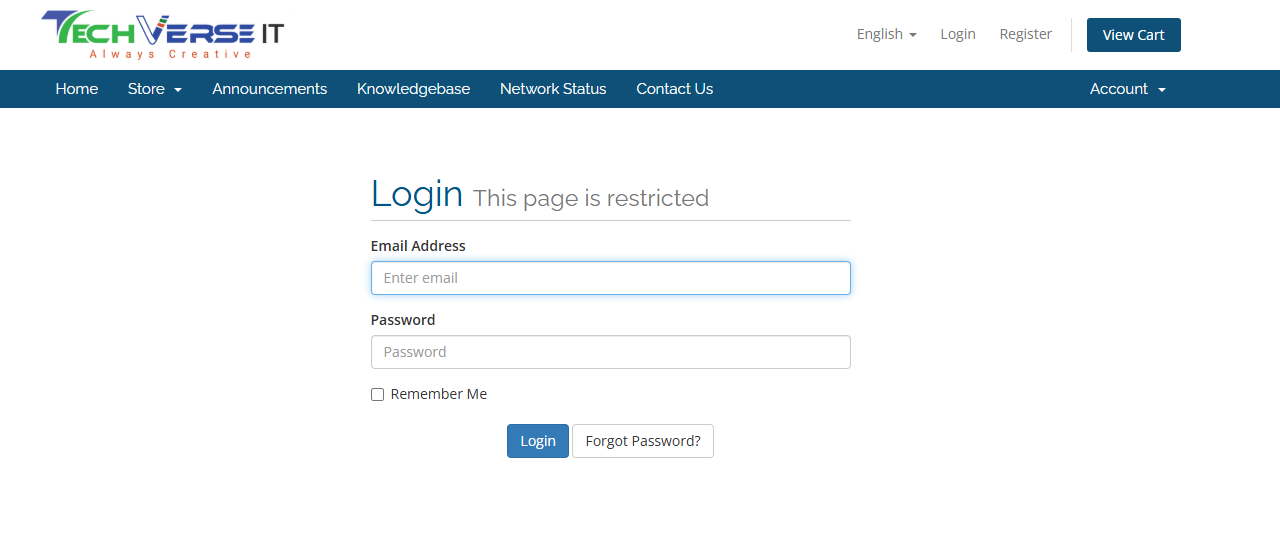
Enter Your Login Credentials
Once you're on the login page, you’ll be asked to enter your Email and Password.
Example:-
Email: demo.user@techverseit.com
-
Password: examplepassword123
-
-
Click on "Login"
After filling in your credentials, click the Login button to proceed.
-
Forgot Your Password?
If you've forgotten your password, don’t worry! Simply click on the Forgot Password? link below the login fields.
You will be asked to enter your registered email address, and we’ll send you a password reset link so you can create a new one. -
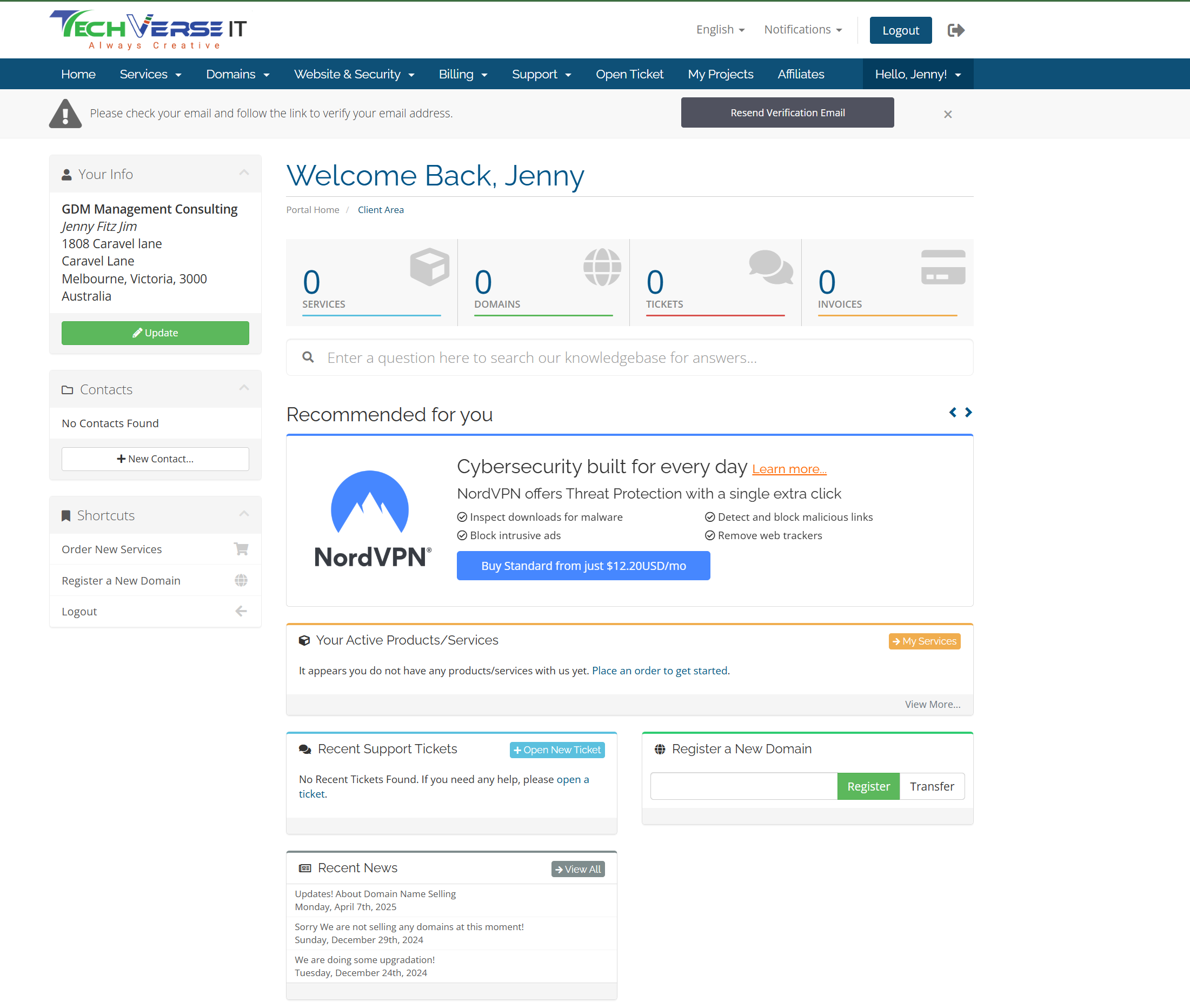
Access Your Client Area
Once logged in, you’ll be taken to your Client Area where you can:-
Manage Your Products: View and manage all your products and services with ease.
-
Pay Your Bills: Quickly pay any outstanding bills or invoices.
-
Request Updates: Stay up to date with your services, including any upgrades or updates.
-
Cancel Services: If needed, you can cancel any services without the hassle of lengthy customer support calls.
-
Why Use Your Client Area?
-
Convenience: Access everything you need, anytime, anywhere.
-
Control: You are in control of your products and services with simple management tools.
-
Transparency: Keep track of your bills and updates with ease.
-
Support: Our platform makes it easy to manage your account without needing to reach out for help.
With these easy steps, you can easily navigate your Client Area and manage all your services hassle-free. If you encounter any issues or need assistance, our support team is just a click away.
Conclusion
Logging in to your Client Area is simple and fast. By following the steps outlined above, you can easily manage your products, pay bills, request updates, and even cancel services whenever needed. If you face any issues, don’t hesitate to reach out for help.
Ready to get started? Click here to log in to your account now!
Happy managing!